All You Need to Know With the advent of Apple Vision Pro, a new frontier in AR/VR technology is opened for app developers to create immersive experiences. It requires a unique set of abilities and knowledge, regardless of experience level, for both novice and seasoned iOS app developers wishing to create an Apple Vision Pro app. This is all the information you require to get going.
Understanding Apple Vision Pro and visionOS
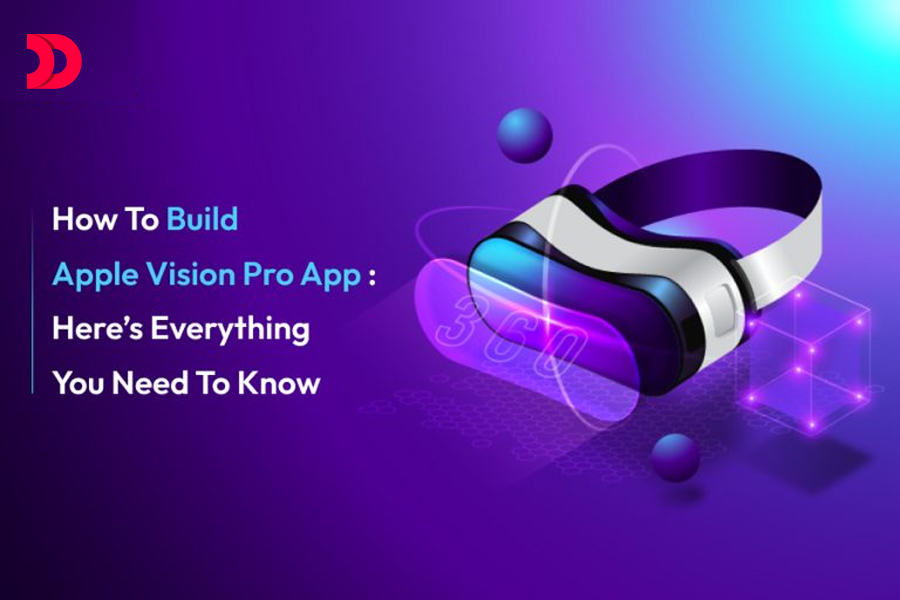
Apple Vision Pro is an advanced AR/VR headset that will change how we experience digital content. With visionOS, the operating system designed for AR/VR experiences, highly immersive applications can be enabled.
Steps to Build Apple Vision Pro Apps
1. Learn AR/VR Development Basics:
- Understanding the basics of Apple’s augmented reality frameworks: ARKit and RealityKit
- Get the basics of 3D Audio, 3D Graphics, and interaction in a three-dimensional space.
2. Set Up Your Development Environment:
- Make sure you have the latest version installed, Apple’s integrated development environment, or IDE.
- Next, install visionOS SDK. This includes a set of tools and libraries that are going to help you in building Vision Pro apps.
3. Designing for AR/VR:
- Consider the user experience—at the same time—in a 3D space. How is the user going to manipulate virtual objects?
- Follow Apple’s Human Interface Guidelines for visionOS when designing intuitive and easy-to-use interfaces.
4. App Development:
- Start with a basic project to understand all the basics of visionOS.
- New user interfaces are created with SwiftUI. Add ARKit and RealityKit for AR functionality.
- Bring in spatial tracking, hand gestures, and even voice commands to make your interactions even more interactive.
5. Testing and Debugging:
- Test your App using the Vision Pro simulator in Xcode.
- Usability testing with real users for feedback and its adaptation
6. Performance Optimization:
- Optimize graphics and code for smooth performance.
- The tools for this process could be Metal for low-level graphics rendering and SceneKit for high-level 3D graphics.
7. Publishing Your App:
- Prepare your app for submission under the guidelines laid down by the App Store.
- Send your app for review in the App Store and market it to your desired audience.
8. Issues in Apple Vision Pro App Development:
- High Development Cost: Development for Vision Pro can be expensive because it requires specialized hardware and field expertise. This cost can be reduced by collaboration with experienced AR/VR app development services.
- Difficult Curve of Learning: It takes time and effort to master AR/VR development, so beginners should not begin to work on more complex apps before doing some easier projects.
- Hardware Limitations: Some creative ideas no doubt will be significantly limited by the capabilities of the hardware of the Vision Pro. What developers need to do is balance their ambitions with practical constraints.
9. Best Practices:
- Keep Yourself Current: Be updated about the newest visionOS and Apple development tools.
- Be Part of a Developer’s Community: Discuss with other developers through forums, social media, and conferences, and share your knowledge and provide support.
- Focus on User Experience: The end-user experience should be the highest priority. Do heaps of testing so that your app is intuitive and a joy to use.
Cost of Developing an App in VisionOS:
The cost of visionOS app development may vary greatly with the level of complexity, features, and expertise of developers required to create a Vision Pro app. You can hire a dedicated team from any reputed iOS app development company or AR/VR app development services and get an exact estimate, which may range from $50,000 to more than $200,000, according to the scope and scale of the project.
Why Would One Consider Hiring a Dedicated Laravel Developer in India?
Now, by hiring a dedicated Laravel developer in India, robust and scalable Vision Pro apps can be built at a much more cost-effective rate. What makes Indian developers stand out is that they are reliable, affordable, and skilled, hence the best for outsourcing Apple Vision Pro app development.
Conclusion:
The next step in getting into the future of AR/VR tech is the development of an Apple Vision Pro app. You can develop compelling and immersive applications if you know the development process, the challenges one is going to face, and the best practices to overcome them. Be it an individual developer or a mobile app development company; the innovation which can be done on Vision Pro is just endless.
Ready to turn your app idea into a vision pro? Hire Apple Vision Pro App Developer from DevsTree who will guide and develop it with expertise. With our experienced iOS app developers and AR/VR specialists, you can build cutting-edge apps that do captivate and engage users. Reach out to us to hire Apple Vision Pro App Developers and begin working towards bringing your vision to life.











 Oct 01, 2026