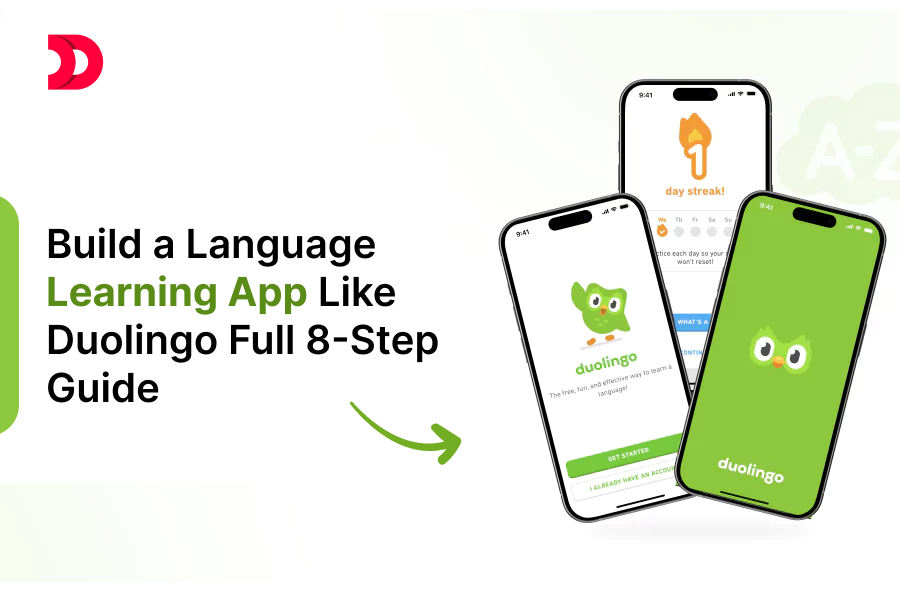
Language learning apps like Duolingo have transformed how millions acquire new languages, combining gamification, accessibility, and bite-sized lessons to make learning engaging. Building a similar app requires careful planning, technical expertise, and a user-centric approach. In this 8-step guide, we’ll walk you through the process of creating a language learning app from ideation to launch.
Step 1: Define Your App’s Vision and Unique Value Proposition
Before writing a single line of code, clarify your app’s purpose and what sets it apart from competitors like Duolingo, Babbel, or Rosetta Stone.
- Identify Your Target Audience: Are you focusing on casual learners, students, or professionals? Will your app teach widely spoken languages like Spanish or niche ones like Swahili?
- Define Key Features: Duolingo thrives on gamification (streaks, leaderboards), bite-sized lessons, and adaptive learning. Decide which features align with your vision, such as:Interactive exercises (e.g., translation, listening, speaking).Progress tracking and rewards.AI-driven personalized learning paths.
- Unique Selling Point (USP): Offer something competitors don’t, like cultural immersion modules, live tutor integration, or support for endangered languages.
Action Item: Create a one-page document outlining your app’s mission, target audience, core features, and USP.
Step 2: Conduct Market Research and Competitor Analysis
Understanding the market and your competitors is crucial to building a successful app.
- Analyze Competitors: Study apps like Duolingo, Memrise, and Busuu. Note their strengths (e.g., Duolingo’s gamification) and weaknesses (e.g., limited speaking practice in some apps).
- User Feedback: Scour app store reviews, social media, and forums to identify what users love or dislike about existing language learning apps.
- Market Trends: Research trends like AI-driven learning, voice recognition, or augmented reality (AR) for immersive lessons.
Action Item: Compile a report summarizing competitor features, user pain points, and market opportunities.
Step 3: Design the App’s Core Features and User Experience
A language learning app must be intuitive, engaging, and effective. Plan the following components:
- Lesson Structure: Short, interactive lessons (5-10 minutes) with a mix of question types (multiple-choice, fill-in-the-blank, pronunciation).
- Gamification: Include streaks, badges, leaderboards, and in-app currency to motivate users.
- Adaptive Learning: Use algorithms to adjust lesson difficulty based on user performance.
- Multimedia Content: Incorporate audio, images, and videos to enhance learning (e.g., native speaker recordings).
- User Interface (UI): Design a clean, colorful interface with easy navigation. Duolingo’s playful aesthetic is a great reference.
- Progress Tracking: Provide dashboards to show user progress, strengths, and areas for improvement.
Action Item: Create wireframes or mockups using tools like Figma or Sketch to visualize the app’s UI/UX.
Step 4: Choose the Right Tech Stack
Selecting the appropriate technology stack ensures your app is scalable, secure, and maintainable. Here’s a suggested stack for a Duolingo-like app:
Frontend:
Backend:
- Node.js with Express or Django for building RESTful APIs.
- PostgreSQL or MongoDB for storing user data, lesson content, and progress.
AI and Machine Learning:
- TensorFlow or PyTorch for adaptive learning algorithms.
- Speech-to-text APIs (e.g., Google Cloud Speech-to-Text) for pronunciation exercises.
Cloud Infrastructure:
- AWS or Google Cloud for hosting, storage, and scalability.
- Firebase for real-time features like notifications or leaderboards.
Third-Party APIs:
- Language translation APIs (e.g., DeepL, Google Translate).
- Text-to-speech APIs for audio lessons.
Action Item: Finalize your tech stack based on your team’s expertise, budget, and scalability needs.
Step 5: Develop the Minimum Viable Product (MVP)
Start with an MVP to test your app’s core functionality and gather user feedback. Focus on:
Core Features:
- 1-2 languages with a limited set of lessons.
- Basic gamification (e.g., points and streaks).
- Simple progress tracking.
Content Creation:
- Develop lesson content with the help of linguists or native speakers.
- Ensure exercises cover vocabulary, grammar, listening, and speaking.
Testing:
- Conduct unit and integration testing to ensure functionality.
- Use tools like Jest (for JavaScript) or PyTest (for Python).
Action Item: Build and deploy the MVP within 3-6 months, depending on your team size and resources.
Step 6: Integrate AI and Personalization
To compete with Duolingo, leverage AI to make your app smarter and more engaging:
- Spaced Repetition: Implement algorithms to review vocabulary at optimal intervals for retention.
- Adaptive Learning: Adjust lesson difficulty based on user performance using machine learning models.
- Speech Recognition: Integrate APIs to evaluate pronunciation accuracy.
- Personalized Recommendations: Suggest lessons or topics based on user interests (e.g., travel, business).
Action Item: Collaborate with data scientists to integrate AI models and test their effectiveness with real users.
Step 7: Test and Iterate Based on User Feedback
Once your MVP is live, gather feedback to refine the app:
- Beta Testing: Release the app to a small group of users and collect feedback via surveys or in-app forms.
- Analytics: Use tools like Google Analytics or Mixpanel to track user behavior (e.g., lesson completion rates, drop-off points).
- Iterate: Prioritize updates based on feedback, such as adding new languages, fixing bugs, or improving UI.
Action Item: Set up a feedback loop with users and release updates every 1-2 months.

Step 8: Launch and Market Your App
A successful launch requires a solid marketing strategy to attract users:
App Store Optimization (ASO): Optimize your app’s title, description, and keywords for platforms like Google Play and the App Store.
Marketing Channels:
- Social Media: Share engaging content on platforms like Instagram, TikTok, and X to showcase your app’s features.
- Content Marketing: Publish blog posts or videos about language learning tips to drive traffic.
- Partnerships: Collaborate with language schools, influencers, or cultural organizations.
Monetization:
- Freemium Model: Offer free lessons with ads or limited access, and charge for premium features (like Duolingo Plus).
- Subscriptions: Provide monthly or yearly plans for ad-free a
ccess and exclusive content.
In-App Purchases: Sell bonus lessons, cultural modules, or in-app currency.
Action Item: Launch the app on iOS and Android, and execute a 3-month marketing plan to build an initial user base.
Conclusion
Building a language learning app like Duolingo is a complex but rewarding endeavor. By following these eight steps—defining your vision, researching the market, designing a user-friendly experience, choosing the right tech stack, developing an MVP, integrating AI, iterating based on feedback, and launching with a strong marketing strategy—you can create an app that helps users learn languages effectively and enjoyably.
Ready to start? Begin with Step 1 and turn your vision into reality. Happy building!











 Oct 22, 2026