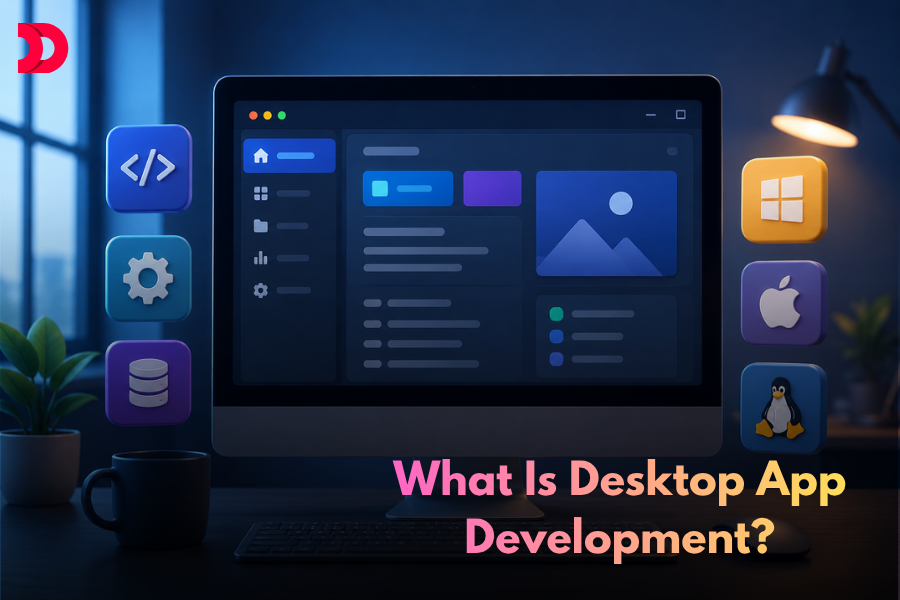
Desktop application development is the process of building software that installs and runs directly on a computer’s operating system Windows, macOS, or Linux without needing a browser or internet connection. Unlike web or mobile apps, desktop applications have full access to local hardware, the file system, and system resources, making them the go-to choice for performance-heavy, offline, and security-critical tasks. Tools like Photoshop, VS Code, and Bloomberg Terminal are all desktop apps and building them is what this guide covers, from the technologies involved to the full development process.
But what exactly goes into building these applications? And why, in a world increasingly obsessed with web and mobile apps, does desktop application development remain one of the most important and well-paid disciplines in software engineering?
Desktop software development and desktop application development are often used interchangeably. Both involve creating software that runs directly on Windows, macOS, or Linux systems. Whether it’s an enterprise management platform, a financial trading tool, or a creative design application, desktop software continues to power some of the world’s most demanding workloads.
This guide answers all of that from what desktop apps or softwares are, to the technologies that power them, the development process, and why cross-platform desktop app development is having a major moment.
What Is Desktop Application Development?
Desktop application development is the process of creating software that runs locally on a user’s operating system Windows, macOS, or Linux without requiring a persistent internet connection. Unlike web apps that live in a browser or mobile apps designed for smartphones, desktop applications are installed directly on a computer and have deep access to the machine’s resources.
This distinction matters enormously. A desktop application can leverage your CPU’s full processing power, access your file system, communicate with hardware peripherals, utilize GPU acceleration, and operate entirely offline. These capabilities make desktop apps the go-to choice for professionals who need serious performance.
PC app development covers a wide spectrum from lightweight productivity tools like note-taking apps and file managers, to heavyweight powerhouses like video editors, 3D modeling software, game engines, and financial trading systems.
Desktop vs Web vs Mobile Apps at a Glance
Feature
Desktop App
Web App
Mobile App
Runs on
Windows / macOS / Linux
Browser (any device)
iOS / Android
Internet required
No
Yes
Optional
Hardware access
Full (GPU, USB, peripherals)
Limited
Moderate
Performance
Highest
Moderate
Moderate
Installation
Required
Not required
Required
Distribution
Store / direct download
URL
App store
Best for
Heavy workloads, offline, enterprise
Broad reach, SaaS
On-the-go, consumer
Desktop Software Development vs Desktop Application Development
Many people use the terms desktop software development and desktop application development interchangeably, but there is a subtle difference between the two. Desktop software development is a broader category that refers to building any software that runs directly on a desktop operating system such as Windows, macOS, or Linux. This can include business management software, security tools, backup utilities, system monitoring applications, accounting platforms, and productivity solutions.
Desktop application development is a more specific subset of desktop software development focused on creating user-facing applications with graphical interfaces. Examples include design tools, video editing software, IDEs, communication platforms, and enterprise productivity applications.
In practice, the distinction is often minimal because most desktop applications are also desktop software. Whether you’re developing a customer-facing productivity tool, an internal enterprise solution, or a performance-intensive creative platform, the same core principles apply: reliable performance, seamless operating system integration, offline functionality, and efficient use of local hardware resources.
As businesses continue to demand secure, high-performance solutions, both desktop software development and desktop application development remain essential for creating software that delivers speed, reliability, and full control over system resources.
Why Desktop Apps Still Matter in 2026
There’s a common misconception that desktop apps are becoming obsolete as the world moves to the cloud. The reality is far more nuanced. Web and mobile apps have captured a large share of everyday consumer use cases social media, email, casual shopping but desktop applications continue to dominate in scenarios where performance, security, and hardware integration are non-negotiable.
Key Advantages of Desktop Applications
Advantage
What It Means
Real-World Example
Raw Performance
Direct CPU/GPU access, no browser overhead
DaVinci Resolve rendering 4K timelines
Offline Functionality
Works without internet connectivity
Field data collection in remote areas
Superior Security
Data stays on local machine
Healthcare records, legal documents
Hardware Access
Talks directly to peripherals and system resources
DAWs, CAD software, medical imaging
Lower Latency
No round-trip to a server
High-frequency trading platforms
OS Integration
Deep access to file system, notifications, tray
Password managers, backup utilities
Here’s a closer look at the most important advantages:
Raw Performance: No browser sandbox, no network latency, no JavaScript runtime overhead. Desktop applications run closer to the metal, which is why video editing software like DaVinci Resolve, 3D design tools like Blender, and scientific computing platforms are all desktop-first. When you’re rendering a 4K video timeline or running a machine learning model locally, every millisecond counts and desktop apps deliver.
Offline Functionality: Internet connectivity cannot always be guaranteed. Remote fieldwork, secure environments, areas with poor connectivity, and enterprise settings with air-gapped networks all demand software that works completely offline. Desktop applications are built for exactly this, storing data locally, processing tasks on-device, with no dependency on a reachable server.
Superior Security: For industries handling sensitive data healthcare, legal, financial services, defense storing data locally is often a compliance requirement, not just a preference. Desktop applications reduce exposure to server-side breaches, man-in-the-middle attacks, and third-party data handling risks.
Direct Hardware Access: Desktop apps can communicate directly with hardware: webcams, microphones, specialized input devices, external GPUs, USB peripherals, serial ports, and more. This is why professional audio software (DAWs), CAD tools, and medical imaging applications are almost exclusively desktop applications.
Key Technologies and Frameworks for Desktop App Development
Choosing the right technology is one of the most consequential decisions in PC app development. The ecosystem has evolved dramatically over the past decade, and developers today have a rich set of options depending on their goals, existing skillset, and target platforms.
Framework Comparison Table
Framework
Language
Platforms
Bundle Size
Performance
Best For
Electron
JavaScript / HTML / CSS
Windows, macOS, Linux
Large (~120MB+)
Moderate
Web devs, rapid prototyping
Tauri
Rust + any JS framework
Windows, macOS, Linux
Small (~5–10MB)
High
Lean, fast apps
Flutter Desktop
Dart
Windows, macOS, Linux
Medium
High
Mobile teams expanding to desktop
WPF
C#
Windows only
Medium
High
Enterprise Windows tools
.NET MAUI
C#
Windows, macOS, iOS, Android
Medium
High
Microsoft ecosystem, cross-platform
Swift / SwiftUI
Swift
macOS, iOS
Small
Highest
macOS-native apps
WinUI 3
C# / C++
Windows only
Small
Highest
Modern Windows-native apps
Framework Deep Dives
Electron is arguably the most widely adopted framework for cross-platform desktop app development today. It packages a Chromium browser engine and a Node.js runtime, letting developers build with JavaScript, HTML, and CSS. Visual Studio Code, Slack, Notion, and Discord are all built with Electron. Its main advantages are a massive developer community and rapid development cycles. The trade-off is resource usage. Electron apps tend to consume more memory than native alternatives.
Tauri is a newer, leaner alternative to Electron. It uses Rust for the backend and allows any modern frontend framework (React, Vue, Svelte) for the UI layer. Instead of bundling Chromium, Tauri uses the OS’s native WebView, resulting in dramatically smaller binaries and lower memory consumption. For developers who want web frontend skills with near-native efficiency, Tauri is a compelling modern choice.
Flutter (Desktop) originally Google’s mobile framework, now supports Windows, macOS, and Linux from a single Dart codebase. Flutter’s rendering engine draws UI components directly to the canvas, ensuring pixel-perfect consistency across all platforms. It’s particularly well-suited for teams already building Flutter mobile apps who want to extend to desktop.
.NET MAUI and WPF serve the Microsoft ecosystem. WPF is a mature, battle-tested framework for Windows-only applications, ideal for enterprise tools with complex UI requirements. .NET MAUI is Microsoft’s newer cross-platform answer, targeting Windows, macOS, iOS, and Android from a shared codebase.
Native Frameworks Swift/SwiftUI for macOS and WinUI 3/WinForms for Windows produce the most responsive, resource-efficient applications with the best OS integration. The trade-off is separate codebases per platform, increasing development and maintenance costs.
Cross-Platform Desktop App Development: The Modern Standard
The concept of cross-platform desktop app development has fundamentally changed how software teams operate. Historically, targeting Windows, macOS, and Linux meant maintaining three separate codebases. Today, a single codebase can deploy to all major platforms.
Cross-Platform vs Native: Which Should You Choose?
Factor
Cross-Platform
Native
Codebase
Single codebase for all platforms
Separate codebase per platform
Dev Speed
Faster ship all platforms at once
Slower parallel teams needed
Performance
Good to excellent
Best possible
OS Integration
Good
Deep and seamless
Cost
Lower
Higher
Team Size Needed
Small to medium
Medium to large
Maintenance
Fix once, applies everywhere
Fix separately per platform
Best Use Case
Most business and productivity apps
Games, creative tools, OS-level software
This shift has several important business implications: faster time to market, reduced maintenance burden, broader platform reach, and significant cost efficiency. For startups and independent developers, cross-platform development has been especially democratizing tools that once required large engineering teams can now be shipped by small, focused ones.
The choice between cross-platform and native comes down to priorities. If you need the absolute best performance and deepest OS integration, think Final Cut Pro or a high-frequency trading system native is hard to beat. For everything else, modern cross-platform frameworks deliver professional, polished, performant applications.
The Desktop Application Development Process
Building a desktop application follows a structured lifecycle. While workflows vary by team and technology, the core phases remain consistent.
Write code, build UI, integrate OS APIs, local storage
Working application
5. Testing
Cross-OS QA, hardware configs, screen resolutions
Bug-free, stable build
6. Packaging & Deploy
Build installers, code signing, store submission
Distributable installer
Phase 1: Planning and Requirements: Every successful desktop application starts with a clear understanding of what it needs to do and for whom. This phase defines core use cases, target operating systems, performance requirements, and hardware integrations needed. It’s also when teams decide whether cross-platform or native better serves their goals.
Phase 2: UI/UX Design: Desktop applications have their own design conventions distinct from mobile or web apps. Users interact via mouse and keyboard, windows can be resized and repositioned, and multi-window workflows are common. Good desktop UI/UX designs for hover states, keyboard shortcuts, drag-and-drop, and menu systems that feel native to the target platform.
Phase 3: Technology Selection: A startup with a web-centric team might choose Electron or Tauri. An enterprise building a Windows-only internal tool might go with WPF. A mobile-first team expanding to desktop might leverage Flutter. The right choice aligns technical strengths with product requirements.
Phase 4: Development: Development proceeds using an IDE suited to the chosen stack VS Code for JavaScript and TypeScript, Visual Studio for .NET, Xcode for macOS native. This phase involves writing application logic, building the UI, implementing local data storage (SQLite, flat files, or embedded databases), and integrating with OS-level APIs.
Phase 5: Testing: Desktop applications must be tested across multiple OS versions, different hardware configurations, varying screen resolutions, and edge cases around file system permissions and hardware access. Automated testing frameworks help, but manual QA across real machines remains essential.
Phase 6: Packaging and Distribution: The final phase compiles the application into platform-specific distributable formats and handles distribution via platform stores, direct download, or enterprise deployment systems.
Platform-Specific Packaging Formats
Operating System
Installer Format
Distribution Channel
Windows
.exe, .msi
Microsoft Store, direct download
macOS
.app, .dmg, .pkg
Mac App Store, direct download
Linux
.deb, .rpm, .AppImage, Snap
Snapcraft, Flathub, direct download
Common Use Cases for Desktop Applications
Desktop application development spans an enormous range of industries and domains.
Industry
Use Case
Example Applications
Creative & Design
Video editing, 3D modeling, illustration
Adobe CC, Blender, DaVinci Resolve
Developer Tools
IDEs, version control, terminal emulators
VS Code, IntelliJ, iTerm2
Finance & Trading
High-frequency trading, financial modeling
Bloomberg Terminal, MetaTrader
Gaming
PC games, game engines
Unity, Unreal Engine, Steam titles
Enterprise
ERP systems, logistics, legal doc management
SAP GUI, AutoCAD, practice management tools
Productivity
Password managers, backup, file sync
1Password, Backblaze, Dropbox
Healthcare
Medical imaging, patient records
DICOM viewers, EMR software
Education
Offline learning, simulators, lab software
MATLAB, Simulink, language learning tools
The Future of Desktop App Development
Desktop application development is not standing still. Several powerful trends are shaping where it’s headed:
Trend
What’s Happening
Impact
Local AI
LLMs running on consumer hardware (llama.cpp, Core ML)
Desktop becomes the natural home for private, on-device AI
Rust-Based Tooling
Tauri and other Rust-powered frameworks maturing
Cross-platform apps become faster and leaner
WebAssembly
Blurring web/desktop lines
Some workloads shift to browser, but performance-critical ones stay desktop
Subscription Model Shift
Users paying for desktop tools again
Renewed investment in desktop-first software
Privacy Regulation
GDPR, HIPAA driving local data storage
More industries choosing desktop over cloud
The rise of local AI is perhaps the biggest driver of renewed interest in desktop development. As large language models and AI tools become capable of running on consumer hardware, the desktop becomes the natural deployment target for privacy-conscious users and regulated industries who can’t send data to the cloud.
Rust-based tooling, exemplified by Tauri, points toward a future where desktop applications can be both cross-platform and highly efficient directly addressing the historical criticism that cross-platform apps sacrifice too much performance.
Conclusion
Desktop application development remains one of the most important and technically demanding disciplines in software engineering. Whether you’re building a professional creative tool, an enterprise system, a developer utility, or a local AI-powered application, the fundamentals hold: plan carefully, choose the right technology, design for the desktop paradigm, and build for performance and reliability.
Cross-platform desktop app development has made it more accessible than ever to reach users across Windows, macOS, and Linux without multiplying your development effort. With frameworks like Electron, Tauri, Flutter, and .NET MAUI continuing to mature, the gap between cross-platform and native is narrowing every year.
For developers and businesses evaluating whether to invest in desktop software development or PC app development, the question isn’t whether desktop software is relevant, the question isn’t whether desktop apps are relevant they unambiguously are. The question is which technology stack and development approach best aligns with your users, your team, and the performance requirements of the problem you’re solving. Get that right, and you have the foundation for software that users will depend on every single day.
Choosing the right development partner can define the trajectory of your product. The best firms combine AI-powered engineering, strategic design thinking, and post-launch growth support, not just code delivery. Whether you are a startup validating your first MVP or an...
The banking industry is rapidly shifting toward automation and intelligent customer experiences. Voice AI apps are becoming a key technology that allows banks to offer faster, secure, and more personalized services without relying on traditional IVR systems. Voice AI in...
Artificial Intelligence is transforming how businesses operate in the USA. From smart chatbots to advanced analytics platforms, AI applications are helping companies automate operations, reduce costs, and improve customer experiences. However, one of the most common questions business owners ask...
The education industry has evolved dramatically in recent years, and virtual learning is now becoming a permanent part of modern education systems. Schools, universities, coaching institutes, and businesses are increasingly investing in digital learning platforms to provide flexible and accessible...
Overview of the Automotive Sector Electric vehicles, autonomous cars, and more- the thriving automotive sector has brought innovative products. The global electric vehicle market size is expected to cross USD 1.89 trillion by 2032. Here, automotive app development plays a...
The idea of a fully automated home, controlled by a single tap or voice command, has become a reality. But the reality exists on the strength of complex technology, and the apps that are the command center are most essential...












 May 26, 2026